Use it in CI
On this page
Real E2E suites flake (timing, ports, external tools). --retry-failed N re-runs failed scenarios in a fresh workdir and reports recovered ones as flaky — green for the exit code, but loud in every report format; silent retries are explicitly a non-goal. --repeat N does the opposite job: run each scenario N times to detect flakiness before it reaches CI.
atago run --ci --retry-failed 2 ./specs          # keep CI green, report instability loudly
atago run --repeat 20 --filter "race prone" ./specs   # flake detection
A known bug you have not fixed yet belongs in CI too. A scenario with expect_fail: is reported XFAIL when it fails — the run stays green, and the reproduction keeps executing on every commit instead of rotting in a directory CI never runs. The day the bug is fixed it becomes XPASS and the run turns red, which is what gets the spec promoted into the guarded suite. An execution error is still an error, so a spec that stops running is never mistaken for a bug that is still there.
atago run --ci ./specs                 # an XPASS fails the build: promote the spec
atago run --ci --allow-xpass ./specs   # the warning without the red build
In --report junit an XFAIL is a <skipped> testcase and an XPASS a <failure>; in --report tap both carry the standard # TODO directive; in --report gha they are a notice and an error annotation; in --report json the scenario carries status: "xfail" / "xpass" and an expect_fail object, and an XFAIL is kept out of failures[]. With --allow-xpass every failure-level signal follows the exit code — no <failure>, no ::error, nothing in failures[] — so a green build never shows a failed test.
setup-atago installs a released binary:
name: behavior-specs
on: [push, pull_request]
jobs:
  atago:
    runs-on: ubuntu-latest
    steps:
      - uses: actions/checkout@v7
      - uses: nao1215/setup-atago@v0
      - run: atago run --ci --report gha ./specs
On GitLab CI (or any CI that starts from a container image), use the published
GHCR image. Its entrypoint is atago itself, so clear it for the CI runner to start
its shell:
image:
  name: ghcr.io/nao1215/atago:latest
  entrypoint: [""]

stages: [test]

behavior-specs:
  stage: test
  script:
    - atago run --ci --report junit ./specs > junit.xml
  artifacts:
    when: always
    reports:
      junit: junit.xml
The image contains atago and ca-certificates; if your scenarios drive git,
jq, a browser, or your own CLI binary, build FROM ghcr.io/nao1215/atago:latest
and layer those tools on top.
--report json|junit|gha|tappicks the report format; the JSON shape is stable and versioned (sample JSON, JUnit, TAP).- A spec file that fails to load runs no scenario, so every format names it rather than leaving the document green: junit gets a testsuite whose
loadtestcase is an<error>, tap anot okpoint counted in the plan, gha an::errorannotation, and json aload_failuresarray carrying the path and the diagnostic (omitted when there are none). A pipeline that judges the run from the report file, not from the exit code, sees the dropped file. --cienables deterministic, color-free output. It also turns an empty selection into a hard error: a--filter/--tag/--skip-tagthat matches no scenario fails the run (exit 3) instead of passing an empty suite, so a typo cannot silently disable your specs. Without--cithe same case is a warning that still exits 0.--fail-faststops scheduling new scenarios at the first outcome that fails the run — a failed assertion, an execution error, an XPASS, or a scenario that only passed on a retry (unless--allow-xpass/--allow-flakymade it green). Scenarios already in flight finish; the rest are reported asskipped after fail-fast, so the summary stays honest about how much of the suite ran.--artifacts-dir DIRpersists the exact payloads a failed assertion compared — plus, for a failed scenario, its background services' logs and each mock server's recorded requests — so a failure stays reviewable after the job ends.- Environment variable names listed under
secrets:are masked as***in all reports and snapshots.
Run the suite on more than one OS #
A CLI that ships binaries for three platforms has three behaviors to check, and the ones that differ are exactly the ones nobody writes a spec for: path separators, line endings, the shell, the exit code a signal produces. A matrix costs one block:
name: behavior-specs
on: [push, pull_request]
jobs:
  atago:
    strategy:
      fail-fast: false
      matrix:
        os: [ubuntu-latest, macos-latest, windows-latest]
    runs-on: ${{ matrix.os }}
    steps:
      - uses: actions/checkout@v7
      - uses: nao1215/setup-atago@v0
      - run: atago run --ci --report gha ./specs
Two things make the Windows leg pay off rather than turn red on the first commit. Gate what is genuinely POSIX — a signal: step, a symlink fixture, a permission assertion — with skip: {os: windows} rather than deleting the scenario, so the report says which platform it applies to instead of pretending it does not exist. And keep shell: true commands out of the specs where you can: run.env:, run.stdin:, and run.stdout_to: cover the variable prefixes and redirects most specs reach for a shell to get, and a command built from argv runs unchanged on all three. Where a POSIX shell really is needed, ATAGO_SHELL points atago at the bash that ships with Git for Windows, which is preinstalled on the GitHub runner:
      - run: atago run --ci --report gha ./specs
        env:
          ATAGO_SHELL: ${{ runner.os == 'Windows' && 'C:\Program Files\Git\bin\bash.exe' || '' }}
Platform support is the full list of what differs.
Review specs without running them #
explain describes what a spec does, doc generates Markdown (with fixtures, expected payloads, and golden files inlined), manifest emits a stable JSON summary for tooling, and list shows scenarios, tags, and artifacts. All of them load and validate the spec first — exit code 2 on a schema error — so any of them doubles as a lint step in CI:
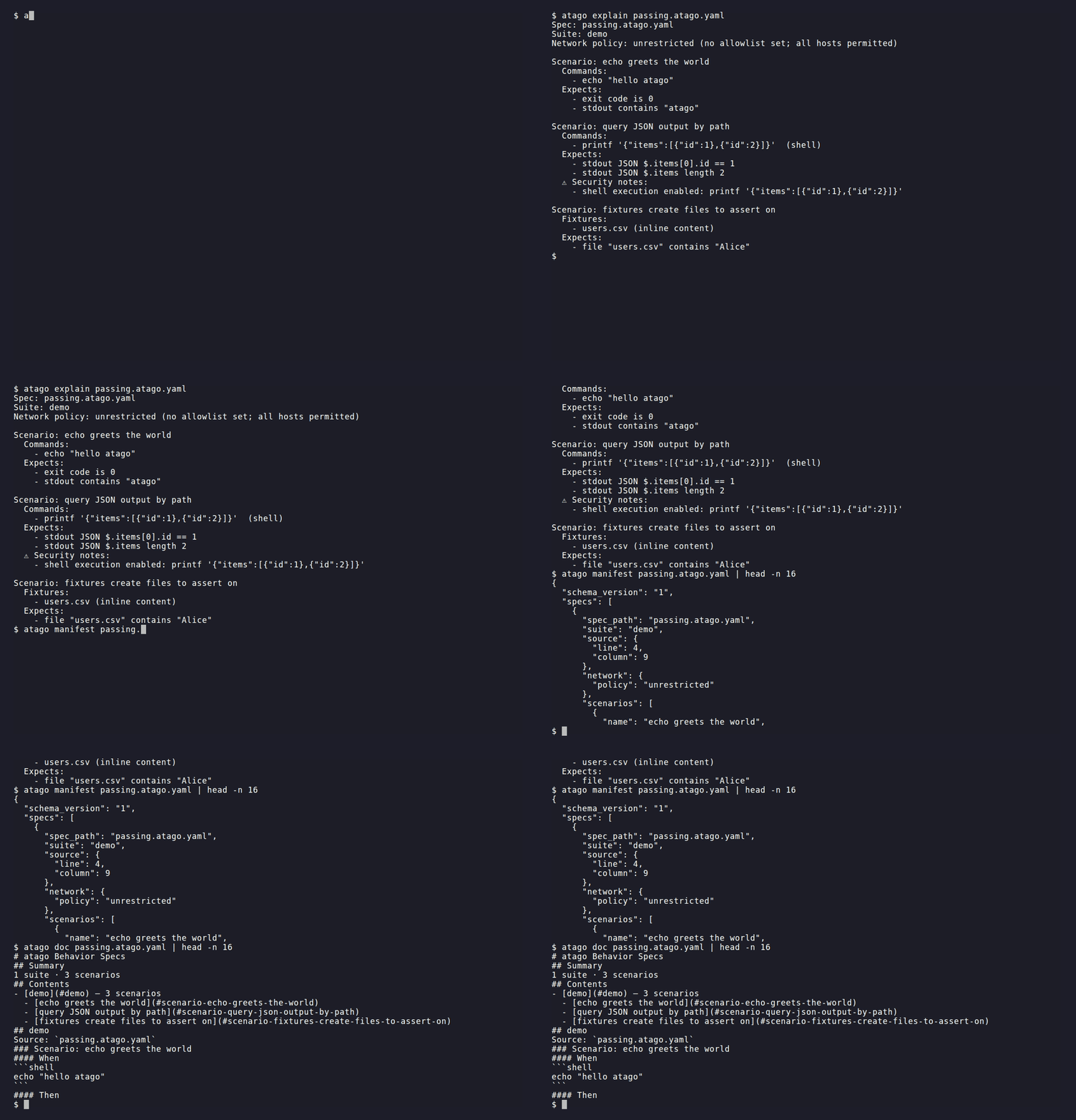
atago explain spec.atago.yaml
atago doc --out docs/specs.md ./specs
atago manifest ./specs
atago list ./specs
The real-world pages on this site are atago doc output, committed and drift-tested.